
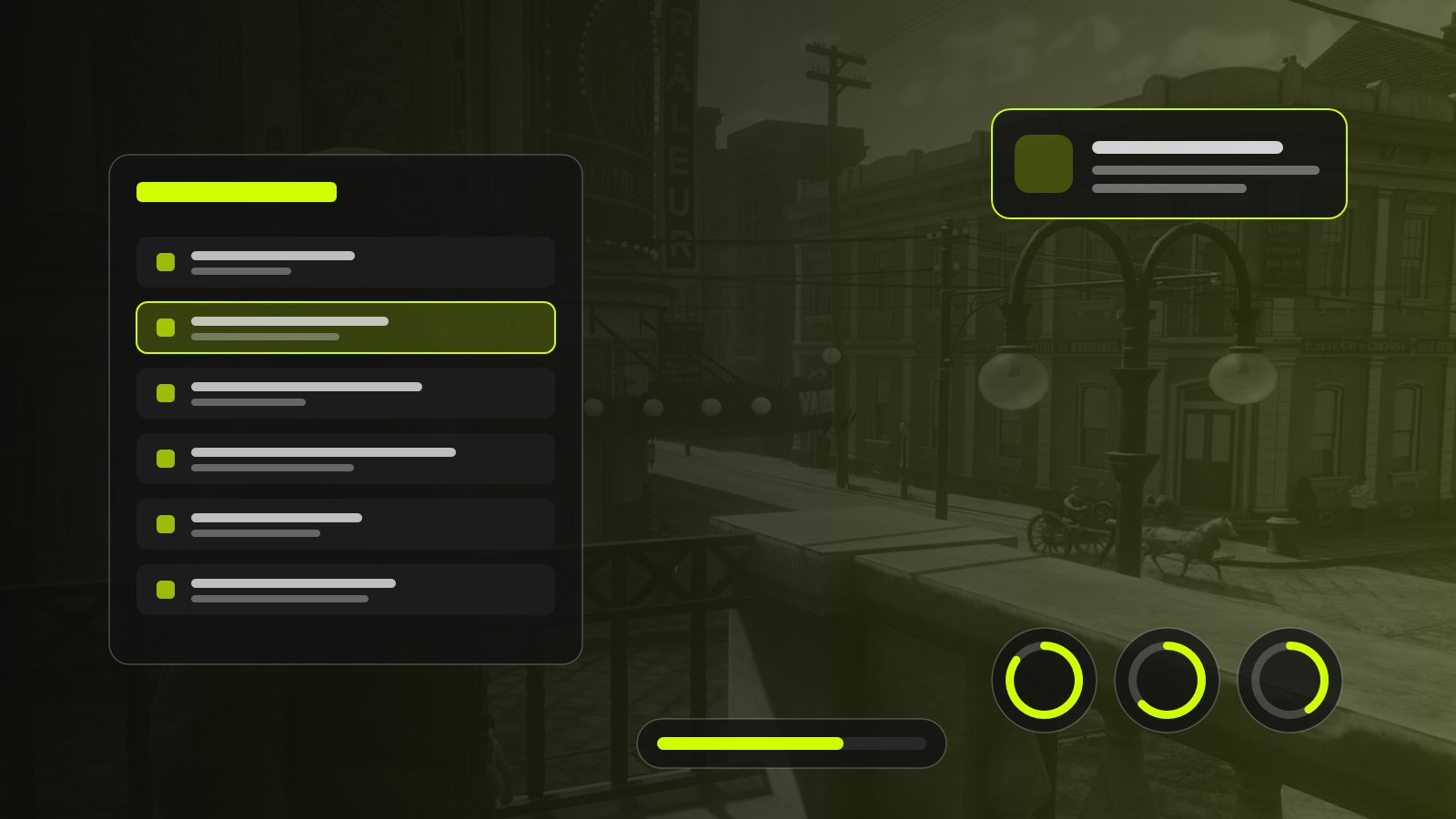
On a FiveM or RedM server, players spend much of their time reading information and clicking through menus: inventory, notifications, phone, bank, invoices, HUD. These interfaces shape the gameplay experience directly. A clear interface fades into the background; a confusing one reminds players at every moment that they are staring at a screen, and pushes them away from the features it is meant to serve.
UI/UX design for FiveM and RedM comes with its own constraints: a screen already busy with the game, players in the middle of the action, menus opened hundreds of times a night. Here are the principles we apply to design roleplay server interfaces that are readable, fast and consistent.
UI and UX: what is the difference?
The two are often confused, yet they answer two different questions.
- UI (user interface) is what you see: colours, typography, icons, spacing, button states, animations. It answers “is this readable and pleasant?”.
- UX (user experience) is what you do: how many steps an action takes, the order of information, the feedback after a click, how you find your way. It answers “can I do what I want, quickly and without mistakes?”.
A beautiful interface can be painful to use, and a very efficient one can look austere. The goal is to bring both together: ergonomics designed for gameplay, supported by a visual identity consistent with the server’s world.
Common mistakes in roleplay server interfaces
Some mistakes come up on most servers, whatever the framework.
- Overloaded interfaces. Showing everything at once forces players to search. Secondary information can wait for a click or a hover.
- Poor visual hierarchy. If the title, the price and the action button share the same size and colour, the eye does not know where to land. The most important element must be seen first.
- Hard-to-read information. Text that is too small, low contrast on a semi-transparent background, a decorative font unreadable at small sizes: the game scene keeps changing behind the interface, so the background needs to be opaque enough.
- Unintuitive navigation. Menus nested four levels deep, a different key to close each window, no way back: players get lost.
- Menus that do not match. An inventory in one style, a bank in another, notifications in a third. The server then looks assembled from spare parts, even if each resource is well made on its own.
- Interfaces that take too much space. A HUD covering the centre of the screen or a notification hiding the minimap gets in the way of the game itself.
Designing an interface for gameplay
A game interface is not designed like a web page. It sits on top of a moving scene, often during an action.
Respect the field of view. The centre of the screen belongs to the game. Permanent elements (gauges, money, notifications) go on the edges, ideally in consistent spots players learn to glance at without thinking.
Separate the permanent from the occasional. A HUD must stay discreet and readable at a glance; a menu the player opens on purpose can take more space, since they are focused on it.
Match the interaction to the context. A menu opened while running must be usable with the keyboard or close instantly. A management menu, used while standing still, can offer richer mouse navigation.
Give feedback for every action. Clicking “Buy” must produce a visible response: a confirmation, a clear error message, an updated balance. Without feedback, players click twice and buy twice.
Respect the setting. On RedM, a glassy neon interface clashes with 1899; on a futuristic FiveM server, a parchment looks out of place. The art direction should serve the server’s visual consistency without sacrificing readability.
Best practices for building a NUI
On FiveM and RedM, interfaces are NUIs: web pages (HTML, CSS, JavaScript) rendered by a Chromium browser embedded in the game client. A resource declares its page in its manifest, then the client script and the interface talk through messages.
-- fxmanifest.lua
ui_page 'html/index.html'

files {
  'html/index.html',
  'html/style.css',
  'html/app.js',
}
HTML and CSS
Keep the structure simple and semantic: buttons for actions, lists for lists, headings for headings. In CSS, think about resolutions: an interface sized in fixed pixels for a 1080p screen becomes tiny at 1440p or 4K. Relative units (rem, vh, clamp()) and a base size that follows the resolution avoid most surprises.
JavaScript and talking to the game client
The client script sends data to the interface with SendNUIMessage, and the interface receives it as a browser message event. In the other direction, the interface calls a function registered on the client with RegisterNUICallback, by sending a fetch request to the resource’s address.
-- client.lua
RegisterCommand('menu', function()
  SetNuiFocus(true, true) -- keyboard and mouse to the interface
  SendNUIMessage({ action = 'open', title = 'Inventory' })
end)

RegisterNUICallback('close', function(data, cb)
  SetNuiFocus(false, false)
  cb({ ok = true })
end)
// html/app.js
window.addEventListener('message', (event) => {
if (event.data.action === 'open') openMenu(event.data.title);
});
function closeMenu() {
fetch(`https://${GetParentResourceName()}/close`, {
method: 'POST',
headers: { 'Content-Type': 'application/json; charset=UTF-8' },
body: JSON.stringify({}),
});
}Event handling
Handle incoming messages in a single listener that routes by action type, rather than stacking listeners. Think about the exit as well: the Escape key should always close the interface and give control back to the game, or players end up stuck with a cursor on screen.
Optimisation
A NUI that stays on screen runs all the time. Avoid infinite animations, expensive shadows and blurs over large areas, and overly frequent updates: a HUD does not need to refresh sixty times per second to show a hunger gauge. On the Lua side, only send a message when a value actually changes, and fully hide closed interfaces.
Accessibility
Enough contrast between text and background, comfortable text sizes, colours that never carry information alone (add an icon or a label for colour-blind players) and keyboard navigation help every player, not just those who need them. The WCAG guidelines are a good reference, even though they target the web.
Why a design system matters
A design system is a set of shared rules and components: a colour palette, a type scale, spacing, and styles for buttons, fields, cards and notifications. On a roleplay server, it directly solves the problem of mismatched menus.
In practice, the inventory, the bank and the phone use the same colours for the same roles (action, danger, success), the same buttons and the same typography. Players learn how the interface works once, then find their bearings everywhere. For the development team, it saves time too: a new menu is built from existing components instead of starting from scratch.
Technically, a design system usually means shared CSS variables (colours, sizes, radii, shadows) and a library of components reused from one resource to the next. It is the approach we follow on our own resources: on FiveM, the HUD, notifications and inventory of the Essentials Pack share the same components; on RedM, KS-Notify RedM and KS-Target RedM follow the same logic.
Management interfaces and dashboards
Interfaces are not only for players. Three audiences have very different management needs:
- Administrators need speed: find a player, check their history, apply a sanction, teleport, manage entities. Frequent actions should be one click away, dangerous ones protected by a confirmation. That is the thinking behind KS-Admin RedM.
- In-game businesses (ranches, saloons, shops, public services) need to track their accounts, staff, stock and invoices without leaving the game. A readable dashboard, key figures at the top and details below, keeps management from becoming a chore.
- Development teams need diagnostic tools: logs, resource states, in-game configuration.
In every case, a good dashboard prioritises information: what needs action first, indicators next, details on demand.
Designing a custom interface
Generic interfaces have an obvious advantage: they are available right away. Their limits show quickly on a server with a strong identity: they do not speak the same visual language as the rest, do not show the information specific to your gameplay and sometimes force you to work around their logic.
A custom interface starts from your real needs: what your players check most, which actions they repeat, what atmosphere you want. It fits into your design system, respects your era and tone, and can evolve with the server. It is a bigger investment up front that pays off in overall consistency and in the time players save every time they use it.
Frequently asked questions
What is the difference between a NUI and a native game interface?
A native interface uses the game’s own menus and display elements, with an imposed style. A NUI is a web page displayed over the game: it offers complete freedom of design and interaction, at the cost of paying close attention to performance.
Which languages do I need to build a FiveM or RedM interface?
HTML, CSS and JavaScript for the interface itself, and Lua (or another language supported by FXServer) for the client script that opens it, sends it data and receives its actions. Some teams use a JavaScript framework such as React or Vue, built before being bundled into the resource.
Can an interface lower FPS?
Yes. A poorly optimised NUI, with constant animations, many blur effects or overly frequent updates, uses client resources. A well-designed interface stays light, especially when it is closed.
How do I keep an interface readable at every resolution?
Use relative units rather than fixed pixels, a base size that follows the screen resolution, and test at least at 1080p, 1440p and 4K, as well as with the game’s interface scale increased or reduced.
Are RedM interfaces built like FiveM ones?
Technically, yes: NUIs work the same way. The difference is mostly artistic: the 1899 setting calls for other materials, other typefaces and other visual codes than a modern GTA RP server.
Summary
A good roleplay server interface is first readable, fast and consistent; its looks are there to serve those qualities. Prioritise information, respect the field of view, give feedback for every action, rely on a design system and look after NUI performance: these principles apply to FiveM and RedM alike.
Interface design is part of our core work, alongside script development and 3D. You can learn more about our approach on the studio page, browse our FiveM scripts and our RedM scripts, or read our guide to creating a RedM RP server.